

Linking Qualtrics & Salesforce
What's on this page
About Linking Qualtrics & Salesforce
Before using any features of the Salesforce Extension, you need to connect your make sure your Qualtrics license has access to the Salesforce extension.
You can connect to your Salesforce instance in multiple places:
- You can connect your individual Salesforce user account from the Workflows page. Only you have access to the account if connected this way.
- If you are a Brand Admin, you can set up an account in the Extensions page. Once connected, you can give the users in your license access to that account.
Setting Up a Link Through the Workflows Tab
In the Workflows tab, you can link each Salesforce task to your Salesforce instance. This allows the flexibility to have some surveys linked to your sandbox, while others are linked to production.
The setup in this section requires you to login to your Salesforce account directly to connect with Qualtrics.
Qtip: You can link up to 5 Salesforce accounts to each Qualtrics account when linking via the Workflows tab.

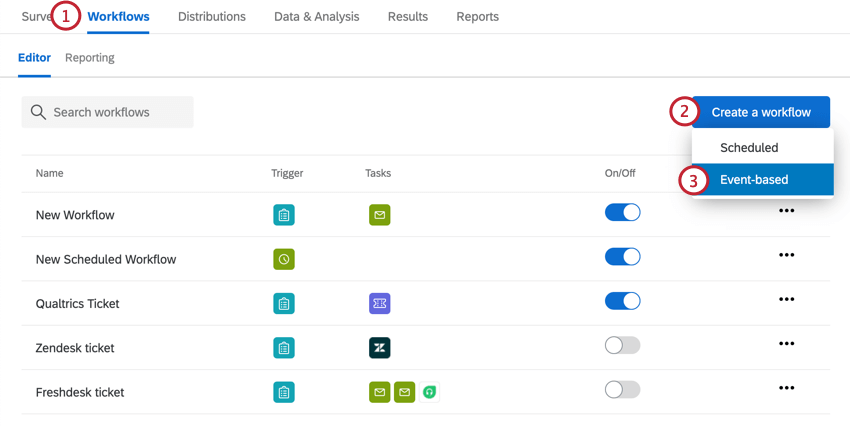
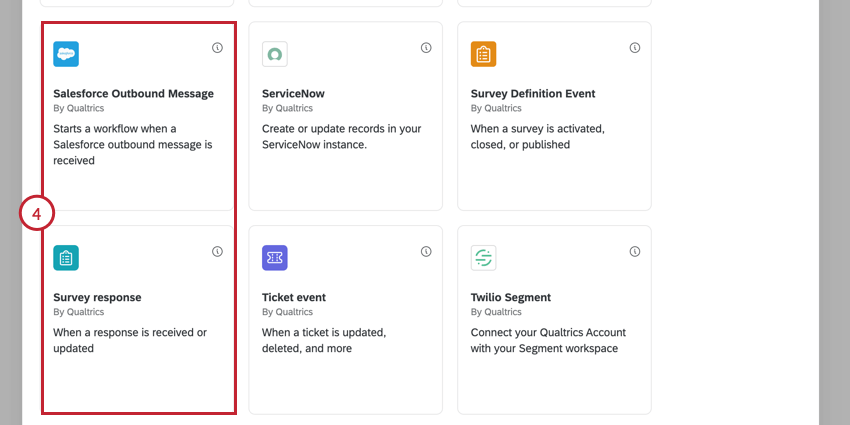
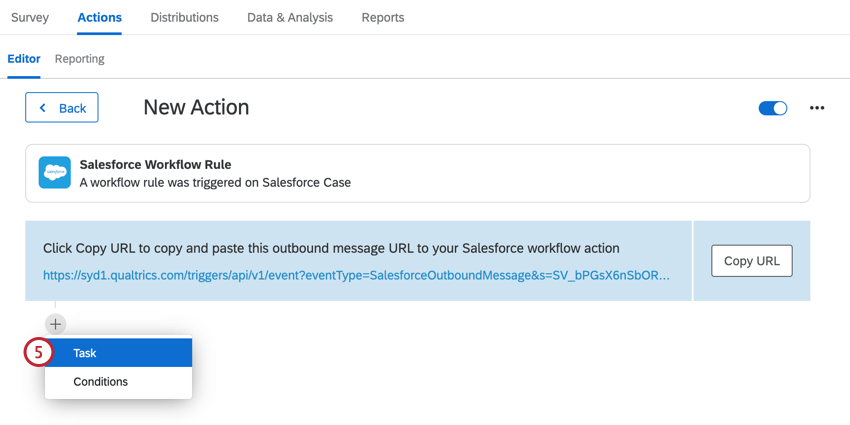
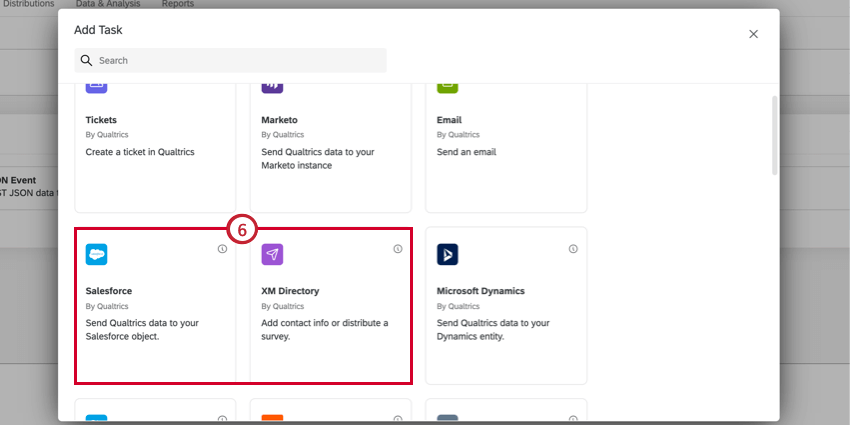
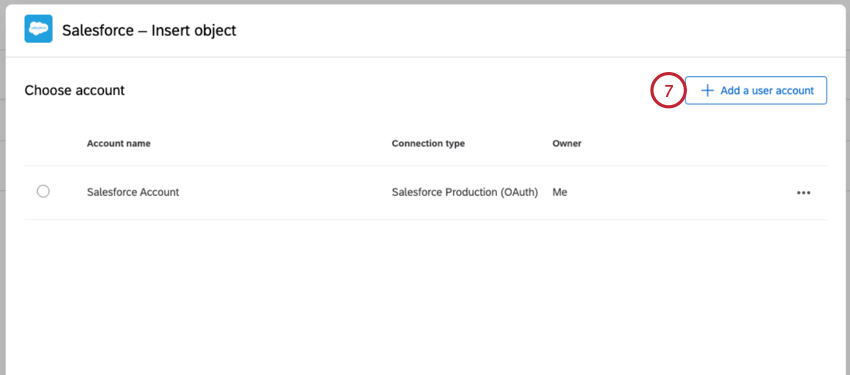
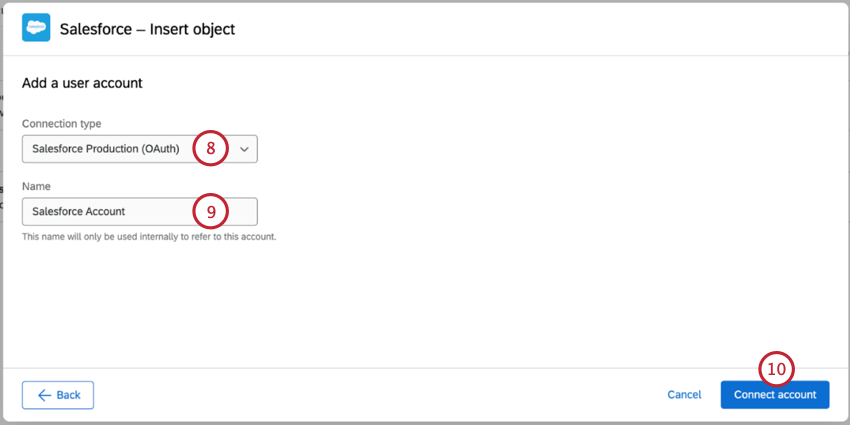
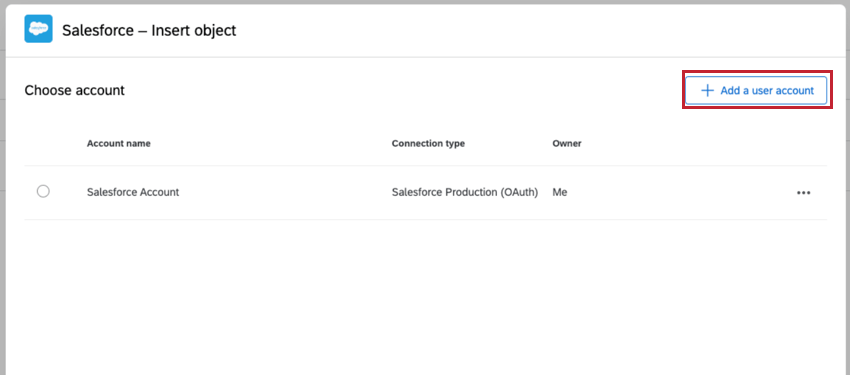
Qtip: If you have linked multiple Salesforce instances to your Qualtrics account, select one from the list provided. To add a new account click Add a user account. To rename, remove or refresh an account click the three dots on the right.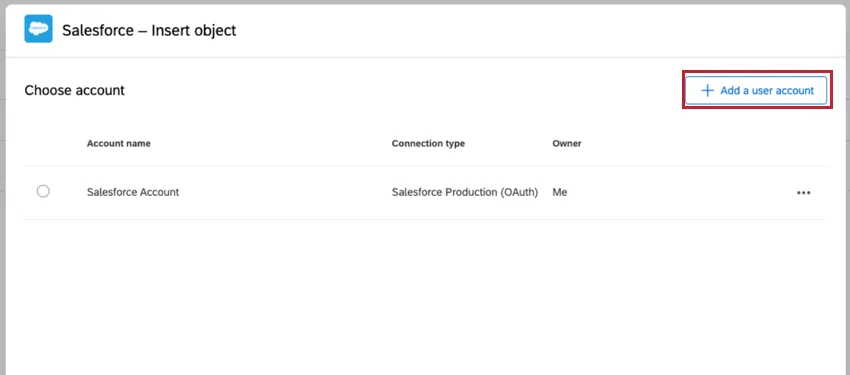
Attention: Only the creator of the Salesforce workflow should make any additional edits to the workflow. Any edit made by a non-creator collaborator could invalidate the Salesforce authentication.

Setting Up a Link Through the Extensions Page
If you are a Brand Admin, you can follow these steps in this section to connect a Salesforce account to share with other users in your license. The setup in this section requires you to login to a Salesforce account directly to connect with Qualtrics.
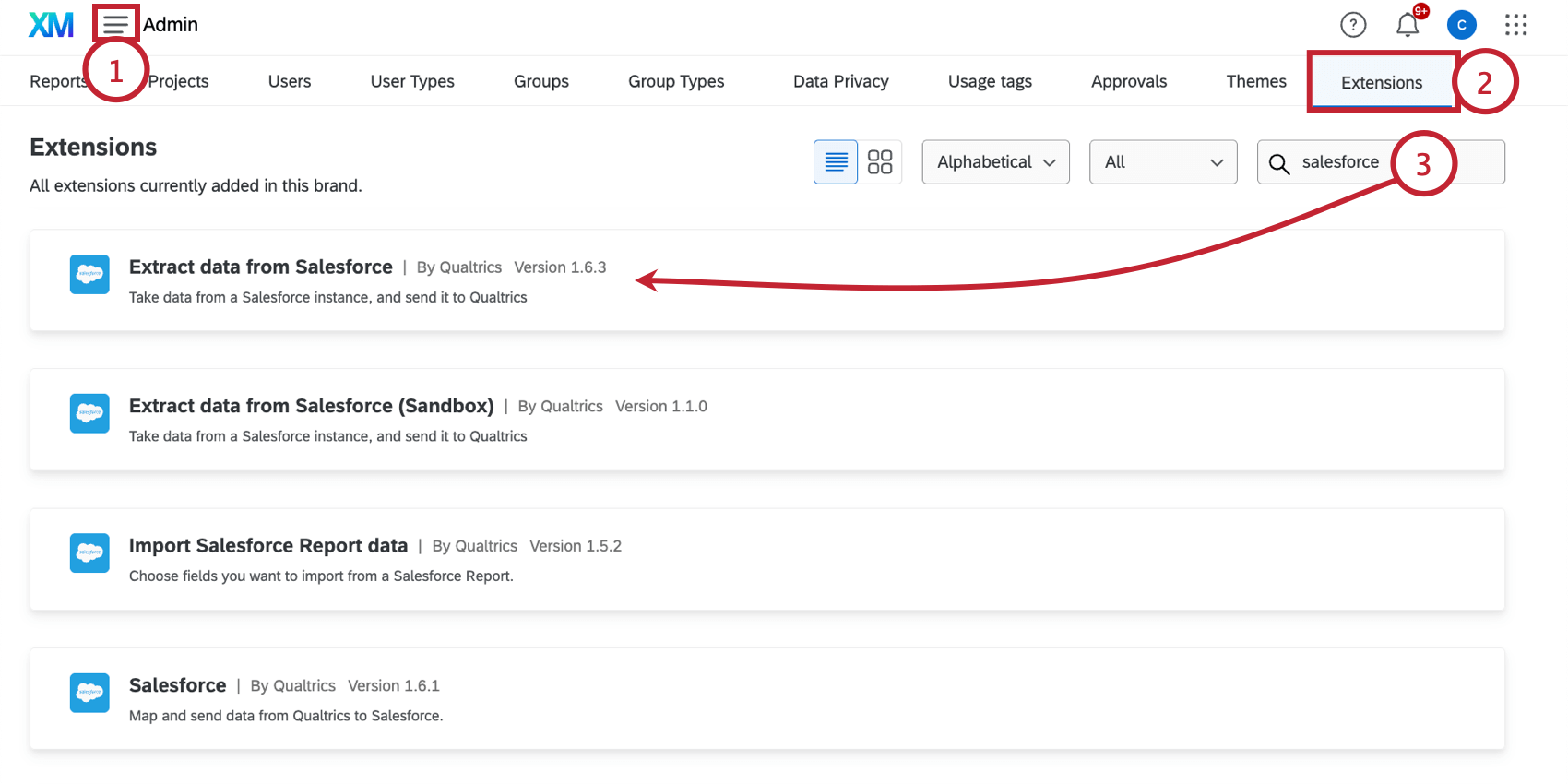
Example: The different Salesforce extensions are used to accomplish different tasks, and you can set up different accounts for each of them, if you’d like. See Salesforce Extension Basic Overview for a list of tasks.

Server-to-Server Connections
Instead of connecting to Salesforce by logging into your Salesforce account, you can set up a server-to-server connection. This connection requires a client ID, client secret, and token endpoint URL, which are found in Salesforce. These Salesforce support pages will help you get started with the setup on Salesforce’s side:
- External Client Apps
- OAuth 2.0 Client Credentials Flow for Server-to-Server Integration
- Configure a Connected App for the OAuth 2.0 Client Credentials Flow
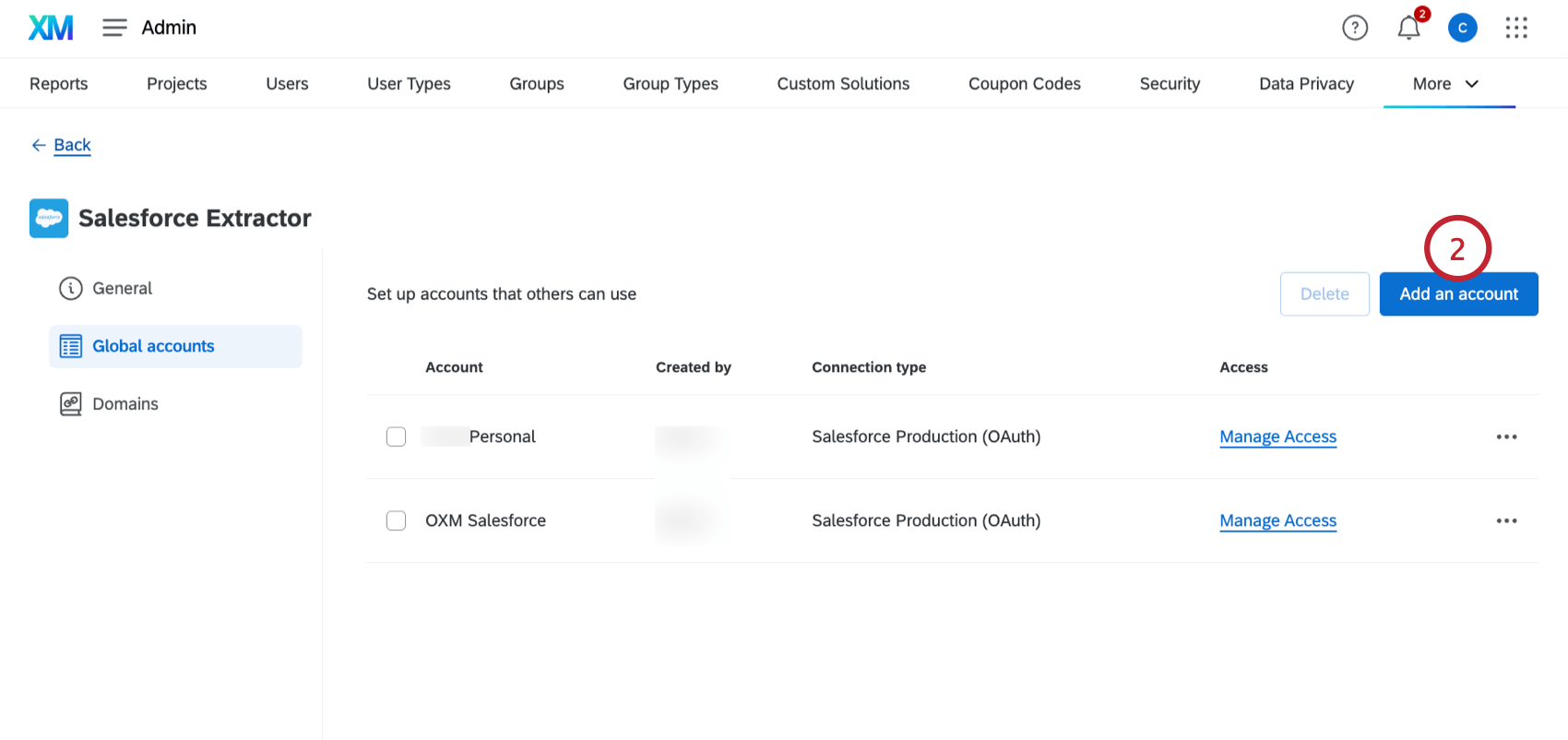
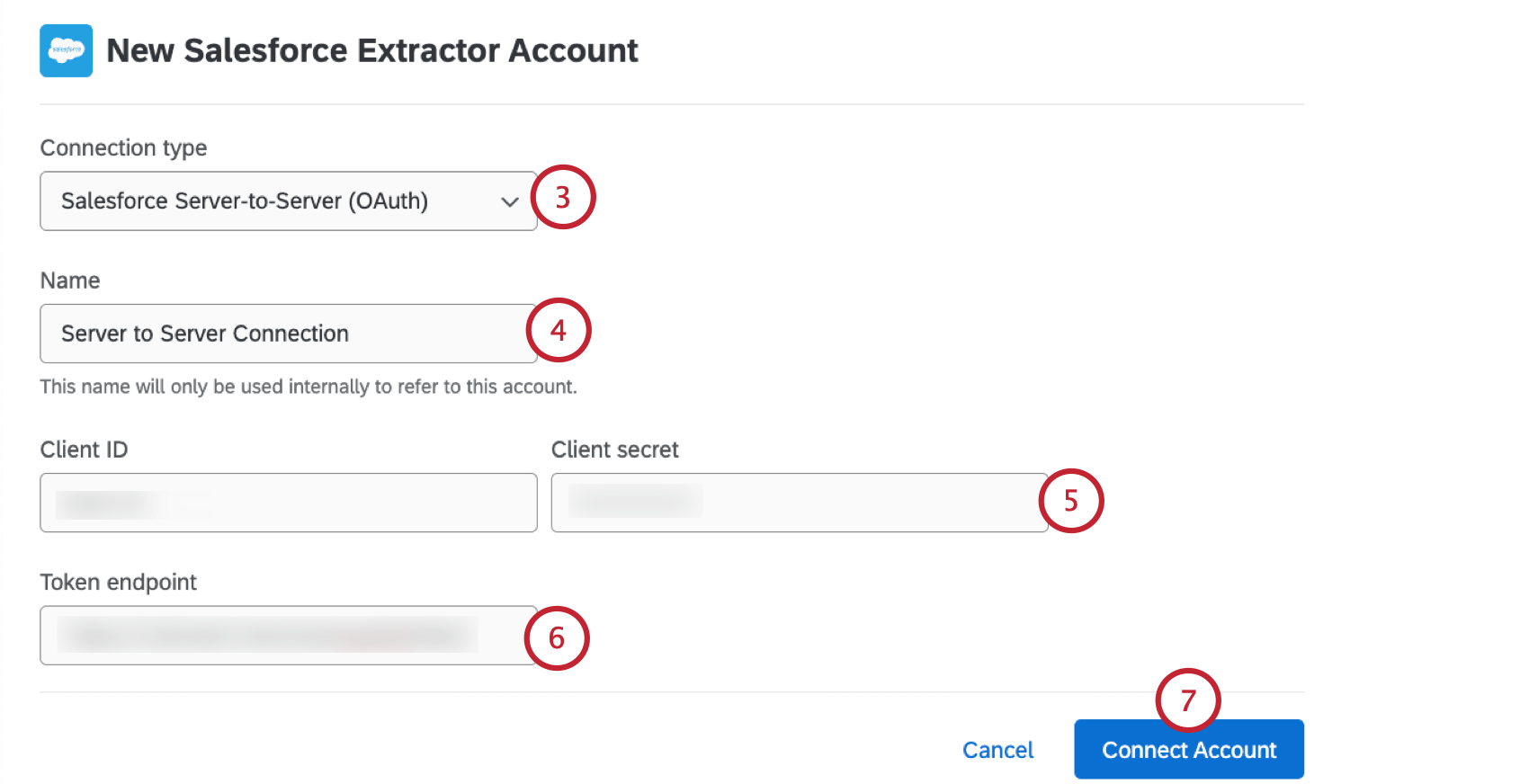
Requirements of the Salesforce Account / Environment
The user type you link does not necessarily need to be a System Admin, but there are specific requirements of the user profile you use when linking.
User Profile settings:
- Salesforce API enabled
- If Login IP range(s) specified, include Qualtrics IP ranges: 162.247.216.0/22, 139.60.152.0/22, 64.69.212.0/24, 98.97.248.0/21
- Ensure that the Salesforce user has access to all necessary Record Types
- Object/field access:
- “View All” for any objects that are related to objects the user may be updating/inserting
- “Modify All” for any objects the user may be updating in Salesforce from Qualtrics
- “Create” for any objects the user may be inserting in Salesforce from Qualtrics
- “Read Access” for any fields the user may need to pull into Qualtrics from Salesforce
- “Edit Access” for any fields the user may need to update/insert
Organization settings:
- Setup > Security > Session Settings
- Deselect both options for locking IP addresses
- Setup > Apps > Manage Apps > Qualtrics Surveys > OAuth Policies
- Refresh Token Policy should be set to “Refresh token valid until revoked”
- Permitted Users should be set to “All users may self-authorize”
Project Ownership
Salesforce credentials are stored in Qualtrics at the account level. That means that Qualtrics always checks the Salesforce credentials of the project owner. If you are setting up the Salesforce Extension and the project was shared with you, either have the project ownership transferred to you or have the project owner link their Qualtrics account to your Salesforce instance. Only the creator of the Salesforce workflow should make any additional edits to the workflow, since any collaborators will be asked to re-authenticate into the Salesforce instance in that workflow.
If you run into issues when testing response mapping or triggering and emailing surveys, check to see if the project has been shared at all, and make sure the project owner has linked to the correct Salesforce account.
FAQs
My Salesforce action says "Account Token Expired." What does that mean?
My Salesforce action says "Account Token Expired." What does that mean?
What are workflows? / Where are actions?
What are workflows? / Where are actions?
There are no changes to workflow functionality as part of this update.
That's great! Thank you for your feedback!
Thank you for your feedback!